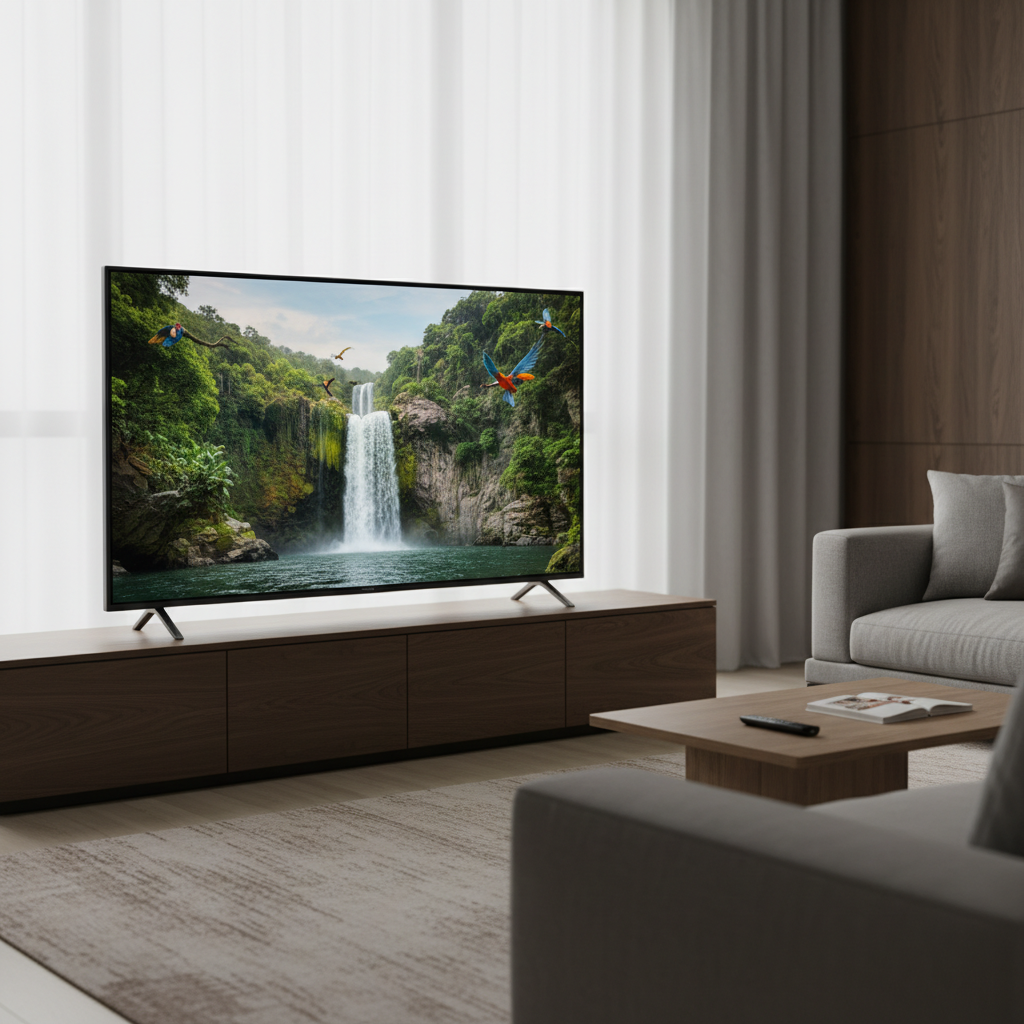
Mounting a 65-inch TV is a transformative step for any home entertainment setup. It frees up floor space, enhances aesthetics, and often improves viewing angles significantly. However, given the size and weight of a 65-inch display, selecting the right wall mount isn’t just about convenience—it’s about safety, stability, and achieving the optimal viewing experience. This comprehensive guide will walk you through everything you need to know to choose and install the perfect TV wall mount for your large screen.
Why a 65-Inch TV Demands the Right Wall Mount
The appeal of a large, immersive 65-inch television is undeniable, offering a cinematic experience right in your living room. Mounting such a substantial display on the wall provides numerous advantages, including a sleek, minimalist aesthetic that declutters your space and keeps the TV safe from accidental bumps or tips. For a 65-inch screen, wall mounting is often preferred over a stand to ensure maximum stability and to achieve a premium, integrated look.
However, the sheer size and weight of a 65-inch TV mean that standard mounting solutions may not suffice. These larger TVs require mounts with robust construction and a higher weight capacity to ensure they are securely fastened. Proper installation is paramount to prevent potential damage to your valuable television and ensure the safety of everyone in the household. Overlooking these crucial details can lead to instability, misalignment, or even catastrophic failure. Therefore, understanding the specific requirements for a 65-inch TV wall mount is the first step toward a successful and satisfying installation.
Types of TV Wall Mounts for Your 65-Inch Display
When it comes to wall mounts for your 65-inch television, you’ll generally find three primary types, each offering distinct benefits and limitations. Choosing the right one depends heavily on your viewing habits, room layout, and desired level of adjustability.
Fixed Wall Mounts
Fixed wall mounts are the simplest and most discreet option, holding your TV flat and close to the wall. They are non-adjustable once installed, meaning your TV will stay in a static position.
- Pros: They offer the slimmest profile, often keeping the TV just an inch or two from the wall, creating a very clean, integrated look. They are typically the most affordable and easiest to install, known for their strong and secure attachment to the wall.
- Cons: Lack of any adjustability. If you need to access ports on the back of the TV or change your viewing angle, a fixed mount will not accommodate this.
- Ideal for: Rooms where the viewing position is always directly in front of the TV and glare is not an issue, such as a dedicated media room or a main living area with consistent seating.
|
Our Picks for the Best 4K TV in 2026
As an Amazon Associate I earn from qualifying purchases.
|
||
| Num | Product | Action |
|---|---|---|
| 1 | Hisense 43" Class A7 Series (43A7NF, 2025 Model) 4K UHD Smart Fire TV, Voice Remote with Alexa, Wide Color Gamut, HDR10+, Dolby Vision, Dolby Atmos, Game Mode, ALLM, Stream Live TV Without Cable |

|
| 2 | TCL 55 Inch Class T7 Series | 4K QLED HDR | 55T7, 2025 Model | 120HZ Refresh Rate High Brightness Smart Google TV Dolby Atmos Audio | Voice Remote Alexa Gaming Streaming Television |
|
| 3 | Samsung 55-Inch Class Crystal UHD U8000F 4K Smart TV (2025 Model) Endless Free Content, Crystal Processor 4K, MetalStream Design, Knox Security, Compatible with Alexa |
|
| 4 | Samsung 65-Inch Class Crystal UHD U8000F 4K Smart TV (2025 Model) Endless Free Content, Crystal Processor 4K, MetalStream Design, Knox Security, Alexa Built-in |
|
| 5 | Roku Smart TV – 55-Inch Select Series, 4K HDR TV – Roku TV with Enhanced Voice Remote – Flat Screen LED Television with Wi-Fi for Streaming Live Local News, Sports, Family Entertainment |
|
| 6 | INSIGNIA 43" Class F50 Series LED 4K UHD Smart Fire TV, Voice Remote with Alexa, Stream Live TV Without Cable |
|
| 7 | INSIGNIA 50" Class F50 Series LED 4K UHD Smart Fire TV, Voice Remote with Alexa, Stream Live TV Without Cable |
|
| 8 | Samsung 55-Inch Class QLED Q7F Series Samsung Vision AI Smart TV (2025 Model, 55Q7F) Quantum HDR, Object Tracking Sound Lite, Q4 AI Gen1 Processor, 4K upscaling, Gaming Hub, Alexa Built-in |
|
| 9 | Samsung 65-Inch Class QLED Q7F Series Samsung Vision AI Smart TV (2025 Model, 65Q7F) Quantum HDR, Object Tracking Sound Lite, Q4 AI Gen1 Processor, 4K upscaling, Gaming Hub, Alexa Built-in |
|
| 10 | TOSHIBA 43" Class C350 Series LED 4K UHD Smart Fire TV, Voice Remote with Alexa, Free & Live TV |
|
Tilting Wall Mounts
Tilting wall mounts allow you to adjust the vertical angle of your TV, typically offering a range of tilt both upwards and downwards. This flexibility can make a significant difference in certain room environments.
- Pros: The main advantage is the ability to reduce glare from windows or overhead lighting by tilting the screen downwards. This feature is also beneficial if your TV is mounted higher than eye level, such as above a fireplace, allowing you to angle the screen for a more comfortable view.
- Cons: While they offer vertical adjustment, they do not allow for horizontal swivel or extension from the wall. Accessing rear ports can still be challenging.
- Ideal for: Bedrooms where you might watch TV while lying down, or living rooms where the TV needs to be mounted higher for visibility over furniture or architectural features.
Full-Motion (Articulating) Wall Mounts
Full-motion, also known as articulating or swivel mounts, provide the greatest flexibility, allowing you to extend the TV away from the wall, swivel it horizontally, and tilt it vertically.
- Pros: These mounts offer maximum versatility, enabling you to achieve the perfect viewing angle from almost anywhere in the room. They are ideal for open-concept living spaces, corner installations, or rooms with multiple seating areas. The ability to pull the TV out from the wall also provides easy access to all rear ports for connecting devices. Many full-motion mounts also include post-installation leveling adjustments for a perfectly straight display.
- Cons: They tend to be more expensive, have a larger footprint, and their installation can be more complex due to the moving parts and the need for secure anchoring. When fully retracted, they still sit further from the wall compared to fixed or tilting mounts.
- Ideal for: Dynamic living spaces, kitchens, or any area where viewing angles change frequently, or where you need to access the TV’s rear connections regularly. Some designs specifically cater to corner installations, providing an excellent solution for maximizing space.
Specialty Mounts
Beyond these main categories, some specialty mounts exist. For instance, corner mounts are essentially full-motion mounts designed to fit snugly into the corner of a room, providing optimal viewing in specific layouts. There are also ceiling mounts and motorized mounts for highly customized setups, though these are less common for typical home installations of a 65-inch TV.
Essential Factors for Choosing a 65-Inch TV Wall Mount
Selecting the right wall mount for your 65-inch TV involves more than just picking a style. Several critical technical and practical considerations must be carefully evaluated to ensure safety, compatibility, and a satisfying viewing experience.
VESA Compatibility: The Universal Standard
VESA stands for Video Electronics Standards Association, and it defines the standard mounting hole patterns on the back of televisions. Matching your TV’s VESA pattern with that of the wall mount is absolutely crucial for compatibility. You’ll typically find VESA dimensions listed as two numbers, like 400x400mm, representing the horizontal and vertical distance between the mounting holes in millimeters.
For a 65-inch TV, common VESA patterns often include 400x400mm, 600x400mm, or similar larger configurations. You can find your TV’s VESA pattern in its user manual or by measuring the distance between the mounting holes on the back of the screen. Always ensure the mount you choose supports your TV’s specific VESA pattern. Most universal mounts accommodate a wide range of VESA sizes, making them a safe bet.
Weight Capacity: Safety First
A 65-inch TV is a substantial investment, and its weight requires a mount that can handle it safely and securely. While modern TVs are lighter than their predecessors, a 65-inch model can still weigh anywhere from 40 to 70 pounds, or even more for certain premium models. The wall mount you select must have a weight capacity that significantly exceeds your TV’s actual weight.
It’s always better to overcompensate. For a 65-inch TV, look for mounts rated for at least 100-150 pounds to ensure ample safety margin. This extra capacity provides peace of mind, knowing your television is securely supported and reduces the risk of structural failure over time.
Wall Type and Installation
The type of wall where you plan to mount your TV is a critical factor influencing both the choice of mount and the installation process.
- Wood Studs: The most common and secure method involves anchoring the mount directly into wood studs, the vertical framing timbers within your wall. These studs typically run at 16-inch or 24-inch intervals. You’ll need a reliable stud finder to locate them accurately. Many mounts are designed for 16-inch on-center stud spacing, so check the mount’s specifications against your wall’s construction.
- Concrete/Brick Walls: Mounting on concrete or brick requires specialized concrete anchors and a hammer drill. This method provides an incredibly strong hold, but the installation is more involved and may require professional assistance if you’re not experienced.
- Drywall (without studs): Directly mounting a 65-inch TV onto drywall without securing it to studs is generally not recommended. Drywall alone cannot support the significant weight of a large television. While some “no-stud” mounts exist, often using multiple small anchors distributed across a wider area, they typically have lower weight capacities and might not be suitable for all 65-inch TVs. Always prioritize anchoring into solid structural elements like studs or concrete for a 65-inch screen.
Adjustability: Tilt, Swivel, and Extension
The degree of adjustability offered by a mount directly impacts your viewing flexibility:
- Tilt: Essential for combating glare and achieving comfortable viewing angles, especially if the TV is mounted high. Most tilting mounts offer a range of approximately +5 to -15 degrees.
- Swivel: Allows horizontal rotation of the screen. A full-motion mount might offer up to 45 degrees of swivel in either direction, 90 degrees, or even 180 degrees depending on the arm length and TV size, perfect for viewing from different areas of an open-plan room.
- Extension: The distance a full-motion mount can pull the TV away from the wall. This is valuable for corner installations, angling the TV, or simply accessing the rear ports. Extensions can range from a few inches to over 20 inches.
Consider your primary viewing positions and potential glare sources to determine how much adjustability you truly need.
Cable Management and Aesthetics
A clean, clutter-free setup is a major benefit of wall mounting. Many modern mounts include integrated cable management features, such as channels or clips, to neatly route and conceal unsightly wires. Some even offer an “open-back design” to ensure easy access to cables and ports. For a truly minimalist look, consider a mount that allows for in-wall cable routing, though this is a more advanced installation. A low-profile design also contributes to a sleek appearance, making the TV appear almost flush with the wall.
Step-by-Step Guide: Installing Your 65-Inch TV Wall Mount
Installing a wall mount for your 65-inch TV can be a rewarding DIY project, but it requires precision and careful adherence to instructions. If you’re unsure at any step, consider hiring a professional.
- Read the Instructions Thoroughly: Every mount has specific instructions. Read them completely before starting.
- Gather Your Tools: You’ll typically need a stud finder, drill (with appropriate bits for wood or masonry), level, tape measure, pencil, screwdriver, and possibly a socket wrench.
- Determine Optimal TV Height: Sit in your primary viewing spot. Your eye level should ideally be at the center of the TV screen. Mark this spot on the wall. Take into account the mount’s design and your TV’s dimensions to correctly position the mounting holes relative to your eye-level mark.
- Locate Wall Studs: Use a reliable stud finder to locate at least two adjacent wooden studs (or suitable solid points for concrete/brick). Mark their centers vertically. Most mounts require being anchored to two studs for a 65-inch TV’s weight.
- Position and Level the Wall Plate: Hold the mount’s wall plate against the wall, aligning it with your stud marks and desired TV height. Use a level to ensure it’s perfectly horizontal. Mark the pilot hole locations through the wall plate onto the wall.
- Drill Pilot Holes: Drill pilot holes at your marked locations. Use the appropriate drill bit size specified by your mount’s instructions for the wall anchors (if applicable) or lag bolts into studs.
- Attach the Wall Plate: Securely fasten the wall plate to the wall using the provided lag bolts and washers. Tighten them firmly, but avoid over-tightening, which can strip the wood or damage the anchors.
- Attach Brackets to TV: Carefully lay your 65-inch TV face down on a soft, clean surface. Attach the mounting brackets to the VESA holes on the back of the TV using the screws, spacers, and washers provided with the mount. Ensure the brackets are oriented correctly (usually indicated by arrows or specific instructions).
- Mount the TV: This is typically a two-person job due to the size and weight of a 65-inch TV. Carefully lift the TV and hook or slide the brackets onto the wall plate. Many mounts have safety locks or mechanisms to secure the TV in place. Engage these immediately.
- Make Final Adjustments: Once the TV is securely hung, make any necessary tilt, swivel, or extension adjustments. Many mounts also offer a post-installation leveling feature to fine-tune the horizontal alignment without removing the TV.
- Cable Management: Route your cables through the integrated cable management features of the mount or use cable ties/sleeves for a tidy appearance.
Top Tips for a Seamless 65-Inch TV Wall Mount Experience
Beyond the technical steps, a few expert tips can ensure your 65-inch TV wall mount installation is as smooth and successful as possible.
- Always Double-Check VESA and Weight Capacity: This cannot be stressed enough. Before purchasing, verify your TV’s VESA pattern and weight. Then, ensure the chosen mount explicitly supports both these specifications. A mismatch can lead to instability and damage.
- Consider Future Upgrades: While you’re mounting a 65-inch TV now, consider if you might upgrade to an even larger or heavier screen in the future. Investing in a mount with a slightly higher screen size and weight capacity than currently needed can save you from having to replace the mount down the line.
- Don’t Rush the Installation: Take your time with each step. Rushing can lead to mistakes, such as improperly drilled holes, stripped screws, or incorrect leveling. Measure twice, drill once.
- Utilize Post-Installation Leveling: Many quality full-motion and even some tilting mounts offer a feature that allows for minor rotational adjustments after the TV is mounted. This is incredibly helpful for achieving a perfectly level display, especially if your initial wall plate installation was slightly off.
- Plan Cable Routing in Advance: Before you even attach the wall plate, think about where your cables will go. Will they be hidden within the wall, run through the mount’s cable management, or concealed with a cable cover? Planning this upfront will result in a much cleaner aesthetic.
- Safety Gear: Wear safety glasses, especially when drilling, to protect your eyes from debris.
Conclusion: Elevate Your Viewing with the Perfect Mount
Choosing and installing the best TV wall mount for your 65-inch screen is an investment in both your home’s aesthetics and your viewing pleasure. By carefully considering the different types of mounts, prioritizing VESA compatibility and weight capacity, and understanding your wall type, you can confidently select a solution that provides security, flexibility, and a streamlined look. A well-chosen mount transforms your large TV into a captivating centerpiece, enhancing every movie night, gaming session, or casual viewing experience.
Are you ready to elevate your home entertainment with the perfect wall mount for your 65-inch TV?
Frequently Asked Questions
Is a 65-inch TV too heavy for a wall mount?
No, a 65-inch TV is not too heavy for a wall mount, provided you choose a mount with an adequate weight capacity and install it correctly into sturdy wall supports like wood studs or concrete. Modern 65-inch TVs typically weigh between 40-70 pounds, and many mounts are designed to safely hold 100-150 pounds or more, offering a significant safety margin.
What VESA size do most 65-inch TVs use?
While VESA patterns can vary, many 65-inch TVs commonly use VESA patterns such as 400x400mm or 600x400mm. Always check your TV’s user manual or measure the horizontal and vertical distances between the mounting holes on the back of your television to confirm its specific VESA standard.
Can I install a 65-inch TV mount by myself?
Installing a 65-inch TV mount can be a DIY project if you have the right tools (like a stud finder and drill), follow instructions carefully, and are comfortable with basic home improvement tasks. However, due to the TV’s size and weight, it’s highly recommended to have at least two people for the final step of lifting and securing the TV onto the wall plate to ensure safety and prevent damage.
How high should a 65-inch TV be mounted?
For optimal viewing comfort, the center of a 65-inch TV screen should ideally be at eye level when you are seated in your primary viewing position. This typically places the bottom edge of the TV approximately 24 to 30 inches from the floor, but it can vary based on your seating height and personal preference.
What’s the difference between fixed, tilting, and full-motion mounts?
Fixed mounts hold the TV flat and stationary against the wall. Tilting mounts allow you to adjust the TV’s vertical angle (up and down) to reduce glare or improve viewing from a higher mount. Full-motion (articulating) mounts offer the most flexibility, allowing you to extend the TV from the wall, swivel it horizontally, and tilt it vertically for optimal viewing from multiple angles.